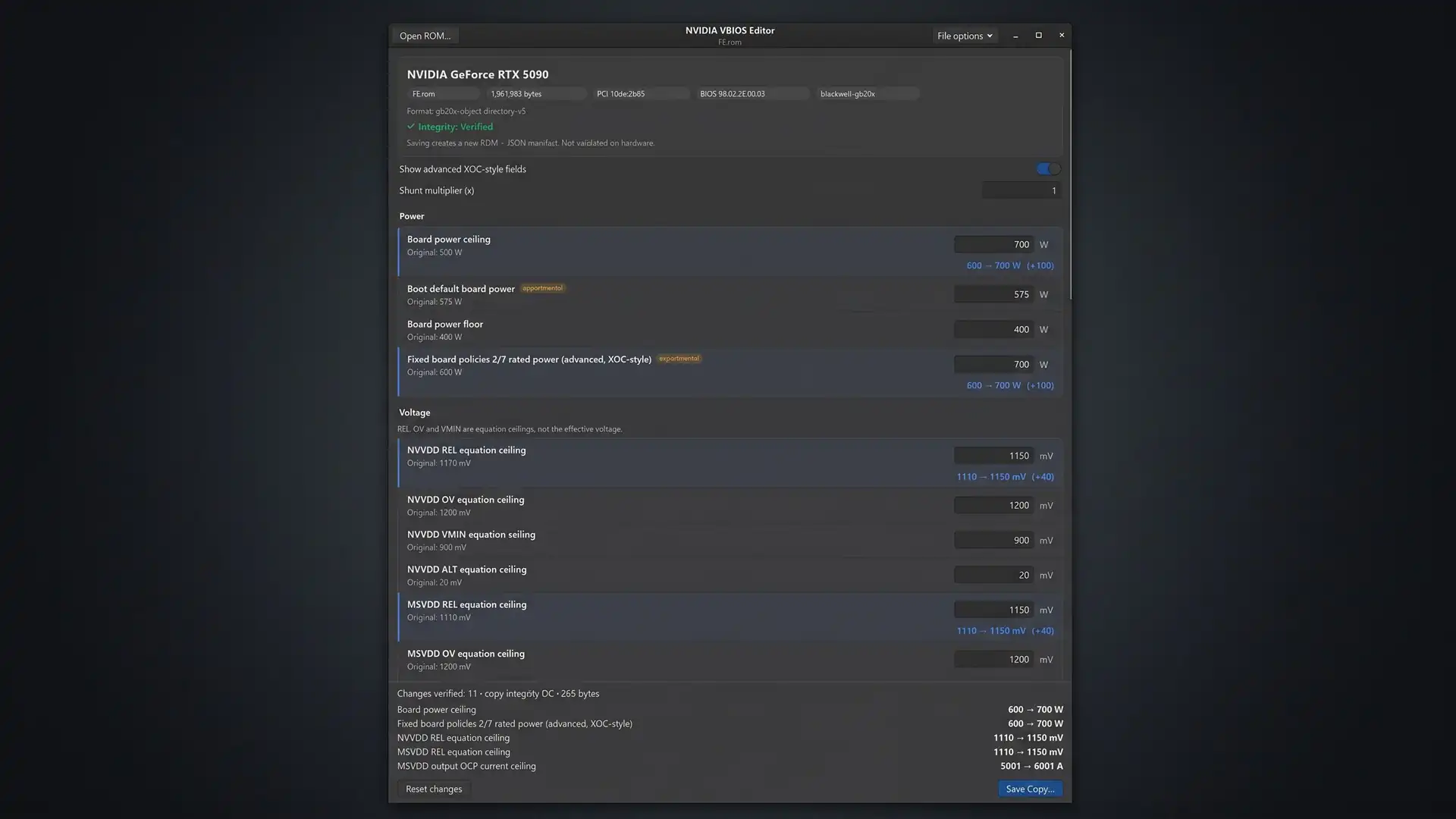
A set of three tools posted to Reddit allows owners of NVIDIA Blackwell, Ada Lovelace and Ampere graphics cards to alter VBIOS parameters without physically reinstalling firmware, according to GameGPU. The solutions cover the GeForce RTX 50, RTX 40 and RTX 30 lines as well as several professional accelerators. The original firmware held in the card's physical memory stays as it is, and user settings are reapplied automatically after a system reboot, GameGPU reports.
Why it matters
VBIOS flashing has long been the riskiest way to change a graphics card's operating limits, because a failed write can leave the hardware unusable. A method that edits parameters at the driver or firmware-startup level instead sidesteps that danger, at least for the physical chip. For enthusiasts and workstation users, it opens power and voltage headroom that vendors normally lock down, though the developers are explicit that not every firmware parameter can be reached this way.
How the three tools work
The first component is a VBIOS editor. According to GameGPU, it can adjust power limits, GPU voltage, current limits, fan settings, and the permitted offset ranges for core and video memory frequencies.
The second tool loads the modified VBIOS. On Windows, it works by changing driver parameters in the system registry and restarting the GPU without rebooting the whole machine.
The third approach targets Linux. GameGPU reports that it modifies the startup process of the GSP firmware, the component responsible for GPU management, to achieve a comparable result on Fedora.
Test results reported by the developers
GameGPU lists a series of successful tests across multiple cards. On the GeForce RTX 5090, the power limit was raised from 600W to 800W; on the RTX 5080, from 360W to 500W; on the RTX 5070, from 250W to 350W; and on the RTX 5060 Ti, from 185W to 300W. The RTX 5070 Ti was set to a 450W limit, and the RTX 4090 to 700W.
In a separate demonstration, an RTX 4090 was lifted from its stock 550W to 671W, a figure confirmed through the nvidia-smi utility, according to the report.
Professional cards were tested as well. The RTX 6000 PRO MaxQ went from 0.9V to 1.1V and from a 325W power limit to 600W. The RTX 4000 PRO SFF moved from 70W to 105W and from 0.85V to 1.1V. A 105W limit was also tried on the RTX 2000 Ada and the RTX A2000.
The editor additionally widens clock offset ranges on some models, reaching up to +2000MHz for the core and +6000MHz or +7000MHz for memory. GameGPU notes that these figures represent tuning ceilings rather than a guarantee of a stable overclock.
Other users have posted their own results for the RTX 6000 PRO Workstation Edition, the RTX 5080, the Laptop RTX 4070 and the RTX 3060, the report says.
Requirements and limitations
On Windows, the setup calls for a 64-bit installation of Windows 10 or 11, NVIDIA driver version 616.56 or newer, and a modified VBIOS file matching the card's specific ID. On Linux, GameGPU lists NVIDIA 615.x drivers or newer, open-source kernel modules, matching module source code versions, Python 3.11 or later, build tools and a configured GRUB bootloader. If Secure Boot is enabled, users need their own module signing key.
The VBIOS source file can be obtained through GPU-Z or nvflash before the desired parameters are edited. For further tuning, the report points to MSI Afterburner and mvolt+ on Windows and LACT on Linux.
The developers state plainly that not all firmware parameters are supported. Memory timing changes, for instance, do not take effect through this method because the graphics card reads those values directly from physical memory. VBIOS modification is also not yet implemented for laptop RTX 40 series cards; mobile RTX 50 series cards allow only certain settings, while mobile RTX 30 series cards support a broader range.
The developers also warn that although physical firmware reinstallation is not involved, changing voltage, power and current limits can cause system instability, overheating or hardware damage.
What to watch: whether the toolkit's supported card list and parameter coverage expand, particularly for laptop RTX 40 series hardware, and how NVIDIA responds to driver-level workarounds of this kind.