Remember last Tuesday? I do. I was staring at a blank document, the cursor blinking with what felt like mocking patience. A client needed a comprehensive market analysis by EOD, and my brain had decided to take an unscheduled vacation. Two years ago, I would have spent hours in a panic spiral, drowning in tabs and coffee. This time, I opened a single tool, described what I needed, and watched as a structured outline, complete with potential data sources and key questions, materialized in seconds. I finished the report by lunch. That’s not a superpower; it’s just Tuesday in 2024.
We’ve moved past the novelty phase of AI. The question is no longer “What can this thing do?” but “Which of these things will fundamentally change my workflow?” Let’s be honest, most “AI revolution” lists are just a rehash of ChatGPT and Midjourney. The real shift is happening in the trenches—in the specialized tools that are quietly eliminating the grunt work we all hate. Here are the five tools that are genuinely changing how we work this year.
From Assistant to Co-pilot: The Rise of Integrated AI
The biggest trend isn’t standalone apps, but AI deeply embedded into the software we already use. It’s the difference between having a separate calculator and having one built into your spreadsheet. This shift from a separate “assistant” you visit to a context-aware co-pilot living inside your workflow is a game-changer. It means less tab-switching, less copy-pasting, and more seamless creation. The AI understands the document you’re in, the data you’re viewing, and the task you’re likely trying to do next. This isn't about replacing you; it's about removing the friction between thought and execution.
Tool #1: The All-Seeing Project Manager (ClickUp AI)
Project management software used to be a fancy digital to-do list. Now, with platforms like ClickUp AI leading the charge, it’s becoming a central nervous system for your work. The magic here is in automation and predictive insight.
Imagine this: instead of manually updating statuses, you write a quick natural language prompt: “Create subtasks for the Q3 launch plan based on the attached brief and assign them to the marketing team with deadlines for next week.” It does it. Or you can ask, “What’s blocking progress on the Anderson project?” and the AI scours comments, updates, and timelines to give you a concise answer. It can even draft stand-up meeting summaries from your team’s activity logs.
Here’s what most people miss: The value isn’t just in saving time. It’s in creating a living, queryable knowledge base of your entire operation. The historical data and context trapped in old projects become instantly accessible. For project managers and team leads, this is nothing short of revolutionary.
Tool #2: Your Meeting’s Second Brain (Otter.ai & Fireflies.ai)
We’ve all had that post-meeting scramble: “What did they say about the budget?” “Who was supposed to follow up?” Note-taking is a flawed, human art. Tools like Otter.ai and Fireflies.ai have evolved from simple transcribers to active meeting participants.
They don’t just record and transcribe with scary accuracy. They analyze sentiment, identify speakers, extract action items, and even generate concise summaries with bullet points. Fireflies.ai can integrate directly with your CRM to log call details automatically. I’ve found that sharing the AI-generated summary immediately after a meeting aligns everyone instantly—no more conflicting interpretations.
This tool changes work by creating searchable, actionable records of your most valuable (and previously ephemeral) conversations. It frees you to actually engage in the discussion instead of frantically scribbling.
Tool #3: The Data Whisperer (Microsoft Copilot in Excel & Power BI)
For anyone who’s ever felt a chill of dread when asked, “Can you pull some insights from this data?”—your savior is here. Microsoft Copilot, integrated directly into the Microsoft 365 suite, is turning complex data analysis into a conversation.
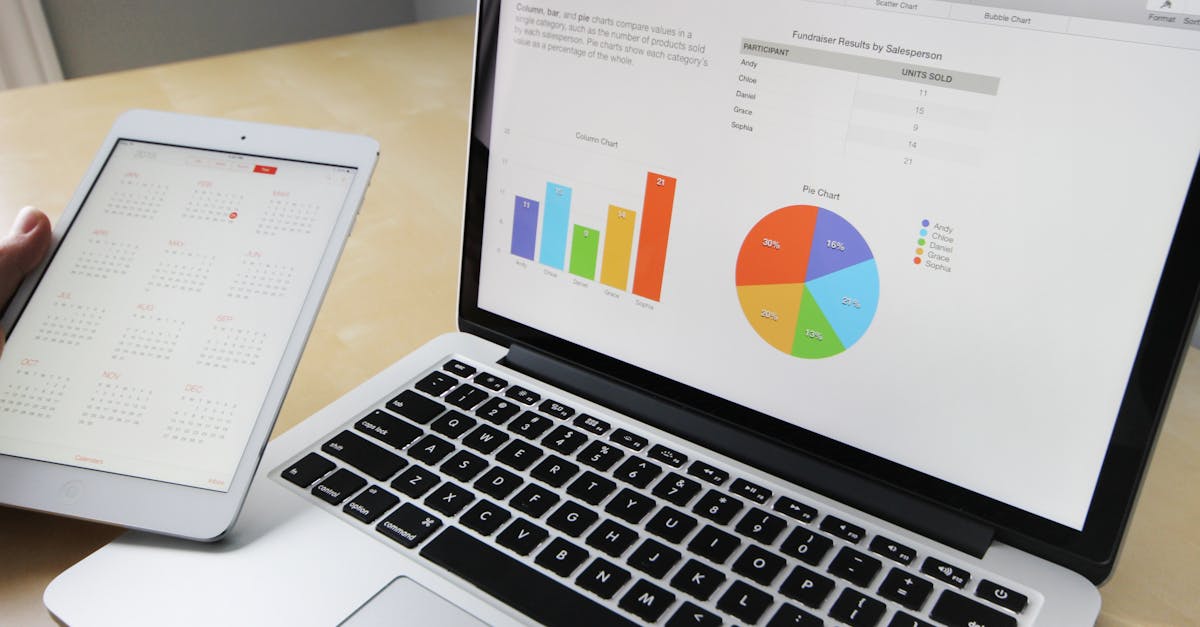
In Excel, you can highlight a messy dataset and ask, “What trends do you see?” or “Create a pivot table showing regional sales by quarter.” In Power BI, you can ask, “Why did sales dip in July?” and the AI will analyze the data models and generate a narrative explanation with supporting visuals.
This is democratizing data literacy. You don’t need to be a master of VLOOKUPs or DAX formulas to get powerful insights. It allows analysts to focus on strategy and interpretation rather than the mechanics of spreadsheet manipulation. The barrier between having data and understanding it has never been lower.

Tool #4: The End of Creative Block (Gamma.app for Presentations, Tome for Narratives)
Forget spending hours wrestling with slide templates. A new breed of AI-powered creation tools, like Gamma.app and Tome, is redefining how we build presentations and narratives.
You provide an idea, an outline, or even a rough draft document. Gamma will generate a complete, designed deck with text, layouts, and suggested images in seconds. Tome excels at creating story-driven narratives, weaving together text, generated images, and embedded interactive content from Figma, YouTube, or web pages seamlessly.
The revolution here is in velocity and ideation. These tools don’t just make the existing process faster; they change the starting point. You begin with the core idea, and the tool helps you prototype a visual story around it almost instantly. It’s perfect for early-stage brainstorming, client pitches, or internal reports where speed and clarity are key.
Tool #5: The Hyper-Specialized Problem Solver (GitHub Copilot X & AI Coding Assistants)
This one’s for the builders. GitHub Copilot has already changed how developers write code, acting as an autocomplete on steroids. But Copilot X and similar advanced coding assistants are pushing further into the entire development lifecycle.
We’re talking about AI that can explain a complex piece of legacy code in plain English, generate unit tests, debug errors by analyzing stack traces, and even handle pull request reviews by suggesting changes and catching vulnerabilities. It’s like having a senior engineer pair-programming with you 24/7, one who has read every public repository ever created.
This transforms work by elevating the developer’s role from writing syntax to architecting solutions. It handles the boilerplate, the debugging drudgery, and the documentation, freeing up human creativity for system design and solving truly novel problems.
The Real Shift: From Doing to Directing
The common thread with all these tools isn’t just automation. It’s augmentation. The most successful professionals in 2024 won’t be the ones who can do the most manual work, but the ones who can best direct and curate AI output. Your new core skills are becoming prompt engineering, critical evaluation, and creative synthesis.
The AI revolution in the workplace is no longer a distant forecast. It’s the toolkit you’re building today. The question is, are you using it to do old things slightly faster, or are you leveraging it to do fundamentally new things? The difference between those two approaches will define the next era of work. So, which of these tools will you invite into your workflow first? The blank document is waiting, but it doesn’t have to be intimidating anymore.