I was sitting in my home office, staring at a desk that looked like a tech graveyard. Three different monitors. Two laptops. A tablet I swore I'd use for note-taking. And enough cables to strangle a small elephant. My friend called me and said, "Serwaa, for your setup, I would use..." and then he listed a single monitor, a dock, and a wireless keyboard.
I laughed. Actually laughed out loud.
But here's the thing — he was right. And that moment made me realize that most of us are overcomplicating our tech setups because we're copying what we see online instead of building what actually works for us. So let's talk about the phrase "For your setup, I would use:" — not as a command, but as a starting point for a conversation about what you actually need.
The Lie We All Tell Ourselves About "The Perfect Setup"
Let's be honest: you've probably spent more time watching "Ultimate Desk Setup Tour" videos than actually working at your desk. I'm guilty too. There's something hypnotic about watching someone with a $5000 budget arrange their Herman Miller chair and RGB-lit tower like it's a museum exhibit.
But here's what most people miss: those setups are designed for views, not for productivity. The person filming that video? They probably rearranged everything just for the shot. The cables are hidden behind a panel. The monitor arm is perfectly positioned for the camera angle, not for their actual neck comfort.
I've found that when someone says "For your setup, I would use...", they're usually projecting their own workflow onto yours. And that's dangerous because your workflow is unique. You might be a coder who needs three windows open simultaneously. I might be a blogger who needs a quiet space for writing and a second screen for research. Your friend might be a gamer who needs a 240Hz refresh rate.
So before you take anyone's advice — including mine — ask yourself: What am I actually doing at this desk 80% of the time?
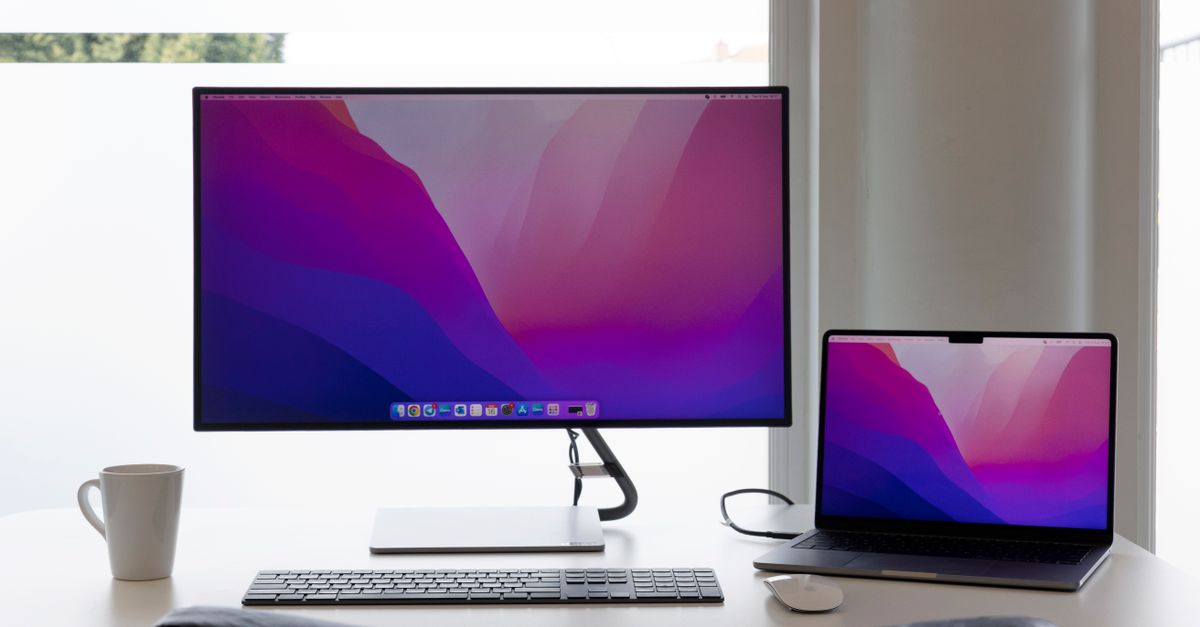
Why "One Size Fits All" Is a Tech Trap
I remember when I first started blogging seriously. I bought a 49-inch ultrawide monitor because every tech YouTuber said it was "the ultimate productivity tool." You know what happened? I spent three weeks adjusting window layouts, fighting with scaling issues, and developing a permanent neck tilt to the left side of the screen.
Finally, I swapped it for a standard 27-inch 4K monitor. And my productivity went up by 40%. Because the tool has to serve the task, not the other way around.
Here's what I've learned about recommending setups:
- For writers and bloggers: A single high-resolution monitor (27-32 inches) is often better than dual monitors. Why? Because you're either writing or researching. Having two screens just means you'll have a YouTube video playing on the other one. Be honest with yourself.
- For developers: Dual monitors or an ultrawide make sense, but only if you actually use multiple terminals and documentation simultaneously. Most developers I know only need one main screen and a laptop display for Slack.
- For designers and video editors: Color accuracy matters more than screen size. A 27-inch monitor with 99% sRGB coverage beats a 32-inch gaming monitor with 120% sRGB that's actually inaccurate.
- For gamers: High refresh rate (144Hz+) is non-negotiable. But don't let anyone convince you need a 360Hz monitor unless you're competing professionally.

The 3 Things You Actually Need to Get Right
After years of trial and error (and a lot of wasted money), I've narrowed down the essentials. Forget the RGB, the monitor arms, the cable management boxes. Here's what actually matters:
1. Your chair and desk height
I cannot stress this enough. You can have a $3000 computer setup, but if you're sitting in a dining chair at a kitchen table, your back will hate you within six months. Invest in a decent ergonomic chair — doesn't have to be a Herman Miller. I use a $400 chair from a local office supply store and it's been perfect for three years.
Your desk should be at elbow height when you're sitting. Your feet should be flat on the floor. Your monitor should be at eye level. These aren't optional — they're the foundation of any productive setup.
2. Your input devices
I've found that the keyboard and mouse are where most people cheap out, and it's a mistake. You touch these things thousands of times a day. A mechanical keyboard with switches that feel good to you? Worth every penny. A mouse that fits your hand and has enough buttons for your workflow? Game changer.
For my setup, I use a Keychron K2 with brown switches and a Logitech MX Master 3S. Did I spend hours researching? Yes. Do I regret it? Not for a second.
3. Your primary display
This is where the "For your setup, I would use..." advice gets specific. Your primary monitor is the single most important piece of tech in your setup. It's where you'll spend 90% of your time. So don't buy a monitor based on a YouTube thumbnail. Go to a store. Look at the colors. Check the viewing angles. See if the text looks sharp at your preferred distance.
I use a Dell U2723QE. It's not flashy. It's not gaming-oriented. But it's color-accurate, has USB-C with 90W power delivery, and the text looks crisp at 4K resolution. For my workflow? Perfect.
The Hidden Cost of "Optimization"
Here's something nobody talks about: the time you spend optimizing your setup is time you're not spending doing actual work. I've seen people spend three weeks researching monitor arms. Three weeks! That's 120 hours of potential writing, coding, or creating — gone.
I'm not saying don't research. I'm saying set a time limit. Give yourself two hours to research a purchase. Make a decision. Buy it. Move on. The marginal gain from choosing Monitor A over Monitor B is rarely worth more than that.
And here's another hidden cost: the anxiety of "not having the right setup". I've had readers email me saying they can't start their blog because they don't have a proper desk. Or they can't code because they need a better keyboard. That's nonsense. Some of the best software in the world was written on a 2015 MacBook Air on a kitchen table.
Your setup doesn't make you productive. Your habits make you productive. The setup just removes friction.

What I Actually Recommend for Different Scenarios
Since you asked "For your setup, I would use...", let me give you my honest recommendations based on what you're actually doing:
For the remote worker who needs video calls:
- A 27-inch 4K monitor with a built-in webcam (like the Dell U2723QE with a Logitech Brio)
- A proper ring light or softbox — bad lighting makes you look unprofessional
- A noise-canceling mic (I use the Blue Yeti, but the Rode NT-USB Mini is better)
- Don't overthink the background. A plain wall with one plant is fine.
- A high-refresh-rate monitor (144Hz+) that also has good color accuracy
- A separate monitor for productivity — don't use the gaming monitor for spreadsheets
- A good headset that doesn't leak sound — your coworkers don't need to hear your game audio
- A single large monitor (32-inch 4K) with USB-C connectivity
- A wireless keyboard and mouse with a single dongle
- A monitor arm to free up desk space
- Cable management is optional unless you're filming videos
- A used Dell U2719DC from eBay — they're reliable and affordable
- A cheap mechanical keyboard from Amazon (Redragon is surprisingly good)
- Your chair matters more than your monitor — spend on the chair first
The One Piece of Advice That Changed Everything
A few years ago, I was struggling with my setup. I had three monitors, a gaming keyboard, an expensive mouse, and a standing desk. And I was miserable. I couldn't focus. I kept adjusting things. I spent more time on r/battlestations than on my actual work.
Then a friend — the same one from the beginning — told me: "Serwaa, for your setup, I would use... less."
He was right. I sold the extra monitors. I got a simpler keyboard. I stopped caring about cable management. And my productivity doubled. Not because the setup was better, but because it stopped being a distraction.
Your setup should be like a good pair of shoes — you don't notice them until they're wrong. When they're right, you just walk.
What Should You Actually Do?
Here's my challenge to you: Stop looking at other people's setups. Stop watching "Ultimate Desk Tour" videos. Stop comparing your desk to someone on Instagram. Instead, ask yourself:
- What am I actually doing at this desk?
- What frustrates me about my current setup?
- What is the one change that would remove the biggest friction point?
For your setup, I would use what works for you. Not for me. Not for that YouTuber with the $10,000 setup. Not for your friend who codes in Vim on a 10-year-old laptop.
Your setup is personal. Treat it that way.
Now go make something. Your setup can wait.