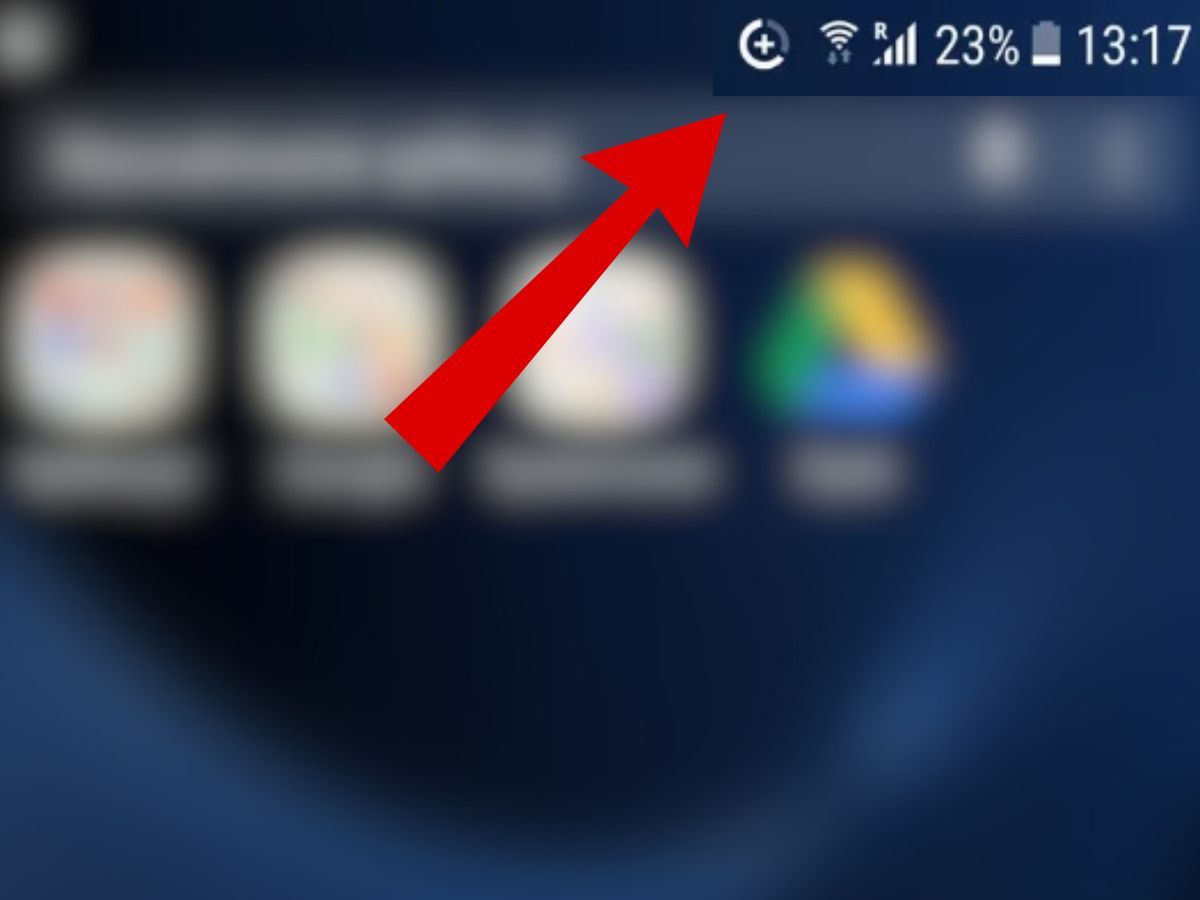
A circled plus sign on an Android phone's status bar typically indicates that Data Saver is switched on, according to reporting by the Polish tech site dobreprogramy. The outlet, citing the service CHIP, says the symbol appears on most Android devices when the data-saving mode is active. Questions about the icon come up regularly on Google's help forum, where users often ask other people to explain what it means.
The mode is usually turned on deliberately, but dobreprogramy notes that it can also be activated by accident, with the owner noticing the unfamiliar icon among the other symbols on the top bar only later.
Why it matters
Data Saver is one of the few Android settings that changes how the phone behaves across the board rather than inside a single app. It limits what applications are allowed to do in the background, which is precisely why it stretches a mobile data allowance — and also why it can make a phone feel broken to someone who does not know the setting is on.
That gap between effect and explanation is the reason the icon draws so many questions. A user who has forgotten about the toggle, or who never knew they enabled it, may see slow-loading images and missing alerts and look for a fault rather than a setting. Knowing what the symbol stands for turns a suspected malfunction back into a choice.
What Data Saver actually changes
According to dobreprogramy, the mode restricts the activity of apps running in the background. In practice, that means images may only load after the user taps the screen, and some notifications arrive late or do not appear at all. The outlet also reports that the mobile hotspot feature cannot be used while the option is on.
Those trade-offs are the point of the feature rather than a defect. When a data package is running out quickly, dobreprogramy writes, the setting can noticeably reduce traffic over the cellular network. Android also lets users exempt selected apps from the restrictions so that they keep working as before, the outlet adds.
The icon looks different depending on the phone
Not every handset signals the mode the same way, which adds to the confusion. On Samsung Galaxy smartphones, dobreprogramy reports, the system may convey similar information through two arrows arranged in a triangle instead of a circled plus. iPhones also offer ways to limit data consumption, but in that case the system does not display a separate mark in the status bar.
The inconsistency means the same underlying setting can be invisible on one device and represented by two different symbols on two others. A user switching between brands has no reliable visual cue to carry over, and the circled plus itself is not self-explanatory to someone encountering it for the first time.
When to check the setting
Dobreprogramy suggests looking at the data transmission settings when a phone suddenly downloads images more slowly, fails to show some notifications, or refuses to start a hotspot. Those three symptoms line up with the restrictions the mode imposes, so they are a reasonable prompt to check whether it has been switched on.
The outlet also points out that some apps run their own data-saving modes independently of the system setting. Instagram and Snapchat are named as examples. That means a user could disable Data Saver in Android settings and still find that individual apps behave conservatively, because those apps are applying their own limits rather than following the phone's.
For anyone trying to work out why a handset is behaving unusually, the practical upshot is to check both layers: the system-wide toggle behind the circled plus, and the settings inside the apps that seem affected.
What to watch: whether Google and device makers move toward a more consistent status bar symbol, or clearer in-system explanation, for a mode that remains easy to enable and easy to forget.