
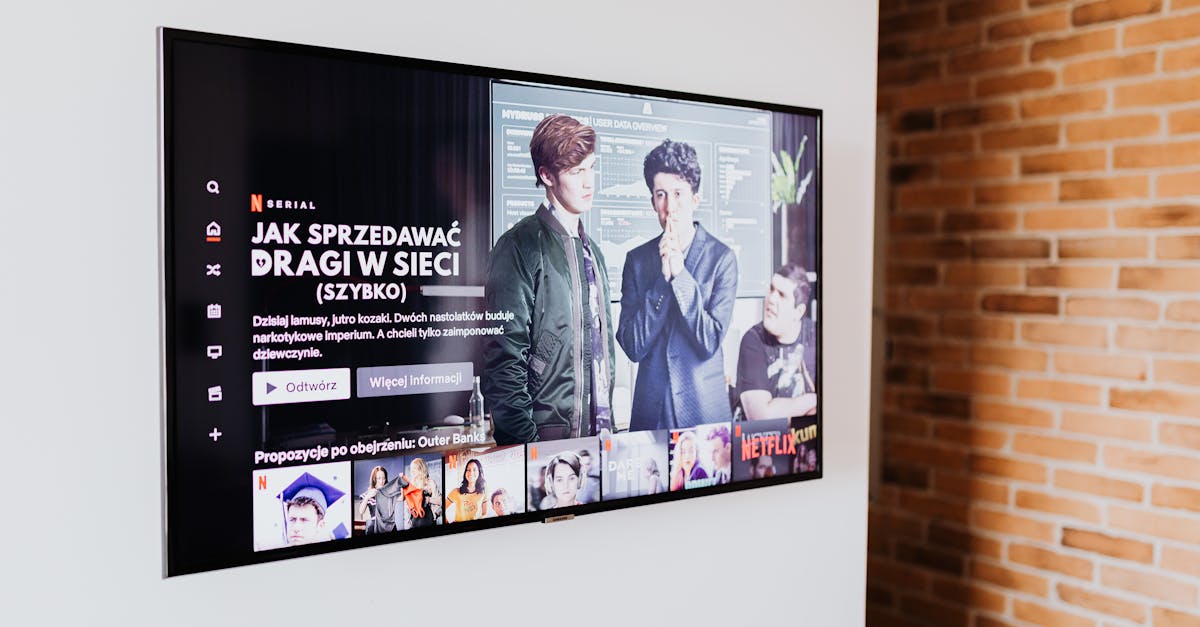
You know that feeling when you're binge-watching a series on Netflix, and you finish an episode that ends on a massive cliffhanger? Your thumb is already hovering over the "Next Episode" button before the credits even start rolling. That's not an accident. That's a masterclass in internal linking.
Here's a little-known fact that will change how you see your website: Netflix spends over $1 billion a year on its recommendation algorithm. That algorithm is essentially an internal linking machine. It takes you from Stranger Things to Dark to The OA with a simple, irresistible nudge. Your website needs to be that addictive. If you're not treating your content like a curated streaming service, you're leaving traffic and revenue on the table.
Let's be honest: most bloggers and content creators treat internal links like they're sprinkling salt on a bland meal. A little here, a little there. But salt doesn't make a meal memorable. A sauce does. An internal linking strategy is your secret sauce. It keeps people on your site, improves your SEO, and turns casual readers into loyal fans.
The "Honeycomb" vs. The "Dead End" Problem
I've found that most websites suffer from what I call the "Dead End" problem. You write a fantastic article about the best horror movies of 2024. Someone lands on it, reads the whole thing, and then... nothing. They bounce. They're gone. You just handed them a single, delicious donut and then locked the bakery door.
The winning approach is what I call the "Honeycomb" strategy. Every single piece of content should be a cell in a larger, connected structure. Each cell leads to another, creating a web that's impossible to escape. Think of your website as a city. Your homepage is the city center. Your category pages are the neighborhoods. Your individual articles are the houses. If you don't have roads (internal links) connecting the houses to the neighborhoods and back to the city center, you have a ghost town.
Here's what most people miss: internal links aren't just for SEO robots. They're for humans. When you link to "10 Underrated Thrillers You Missed" from your "Best Horror Movies" post, you're saying, "Hey, you liked that? You'll love this." You are curating an experience. You are the algorithmic concierge of your own little universe.
The 3-Second Rule: Why Context is King
I have a rule for my own blogs. I call it the 3-Second Context Test. If I read a sentence in my article, and I can't instantly think of a related piece of content that would add value right there, I've failed.
Effective internal linking is about context, not volume. Don't just throw a link to your "About Me" page in the middle of a review of The Bear. That's like offering someone a glass of water when they asked for a menu. It's irrelevant.
Let me give you a real-world example.
Let's say I'm writing about the cultural impact of Black Mirror: Bandersnatch.
Bad internal link: "The interactive nature of Bandersnatch was groundbreaking. [Learn more about my favorite TV shows.]"
Good internal link: "The interactive nature of Bandersnatch was groundbreaking. It paved the way for other choose-your-own-adventure stories. In fact, we just covered the 7 most innovative interactive movies on Netflix that you probably missed."
See the difference? The second link is a natural progression. The reader is thinking, "Wait, there are more of these? Tell me!" You've given them a reason to stay and explore.

The "Supporting Actor" and "Lead Role" Link Types
Not all links are created equal. I categorize them into two types: Supporting Actors and Lead Roles.
Supporting Actor Links: These are the subtle nudges. They're the links in the body of your text that point to a related concept or definition. They're the "as I mentioned in my post about [X]" type of links. They add depth and authority. For example, if I'm writing about the cinematography of Dune: Part Two, I might link to a previous post where I broke down "the use of practical effects in sci-fi cinema." It shows you know your stuff.
Lead Role Links: These are your blockbuster recommendations. They usually come at the end of a section or at the very end of an article. They are explicit calls to action. "If you enjoyed this deep dive into the soundtrack of Oppenheimer, you will absolutely love our breakdown of Hans Zimmer's score for Interstellar." These are your "Next Episode" buttons. They need to be irresistible.
Here’s a golden rule I swear by: For every 500 words of content, you should have at least one Supporting Actor link and one Lead Role link. This ensures a steady, natural flow of internal traffic without feeling spammy.
The "Pillar and Cluster" Method for Entertainment Sites
Now, let's get a little strategic. The Pillar and Cluster model is the holy grail of internal linking, and it works perfectly for entertainment blogs.
The Pillar: This is your comprehensive, long-form guide on a broad topic. Think of it as your Lord of the Rings extended edition. For example: "The Ultimate Guide to the Marvel Cinematic Universe Timeline." The Clusters: These are the individual, focused articles that support the pillar. They are your WandaVision deep dive, your Doctor Strange 2 analysis, your "Every Easter Egg in Loki" post.
The magic happens in the linking:
- Every Cluster article links up to the Pillar. "For a complete understanding of how this fits into the larger MCU, check out our Ultimate Guide."
- The Pillar article links down to every Cluster. "For a deeper look at how the multiverse works, read our breakdown of Doctor Strange 2."
- Clusters also link to each other. "The concept of variants was first introduced in Loki. Read our full analysis here."

The "Broken Link" Audit: A Dirty Little Secret
Let's talk about the elephant in the room. You know what kills an internal linking strategy faster than a bad script? Broken links. Nothing says "I don't care about my site" like clicking a link to an article that no longer exists. It’s the digital equivalent of a door that leads to a brick wall.
I do a broken link audit every quarter. It’s surprisingly easy.
- Use a free tool like Screaming Frog or an online broken link checker.
- It will give you a list of every link on your site that leads to a 404 page.
- Now, here's the secret: Don't just delete the link. Replace it. If you had a link to "10 Best Horror Movies of 2020" and you deleted that article, find your "10 Best Horror Movies of 2021" and link to that instead. You are redirecting traffic that would have been lost. You are being a good host.
The "Reader's Journey" vs. The "Author's Ego"
This is the hardest lesson I've had to learn. Internal linking is not about your ego. It's not about linking to your most popular post because it makes you look good. It's about the reader's journey.
I once had a post about the best documentaries of the year. I was so proud of my review of The Beatles: Get Back that I linked to it three times in one 800-word article. It was pathetic. It was like a director constantly winking at the camera.
Stop linking to your own vanity projects. Link to what the reader needs next. If someone is reading a post about "How to Host a Movie Marathon," don't link to your personal review of The Godfather. Link to "The Best Popcorn Recipes for Movie Night" or "A Guide to Choosing the Perfect Movie Projector." You are serving their immediate needs.
A simple rule: The last link in your article should be the most valuable. It should be the "If you only click one thing, click this" link. Make it count. It could be your email newsletter sign-up, your most popular piece of content, or a product you genuinely love. But it must be the crescendo.
The Final Scene: Why This Matters More Than You Think
Here's the truth. You can write the most brilliant, Oscar-worthy content on the internet. If you don't have a solid internal linking strategy, you are building a film that nobody will ever see the end of. You are creating isolated islands of brilliance when you could be building a continent.
The entertainment industry is built on sequels, spin-offs, and universes. Your website should be no different. Every article is an episode. Every category is a season. Your internal links are the narrative thread that ties it all together.
So, next time you hit "Publish," don't just walk away. Look at your article. Ask yourself: If I was a reader who just loved this, where would I want to go next? Then, build that road. Build it well. And watch your audience grow.
Now, go make your website as addictive as your favorite show.